Case 02 · An AI video platform for filmmakers
Meet them where they already work
The problemMy editors live in Premiere. They are not moving their day into another tool.
Notes · Case 02
In short
Premiere Pro and Photoshop plugins that bring the platform's shots and assets into the apps editors already use, and sync edits back, so generation becomes a panel in their workflow instead of a tab in their browser.
- Role
- Designed and built both plugins
- Client
- An AI video platform for filmmakers
- Year
- 2026
- Stack
- Adobe UXP · Premiere Pro · Photoshop · platform API
What came out
- Generated shots land on a Premiere timeline from a panel, in the editor's own naming
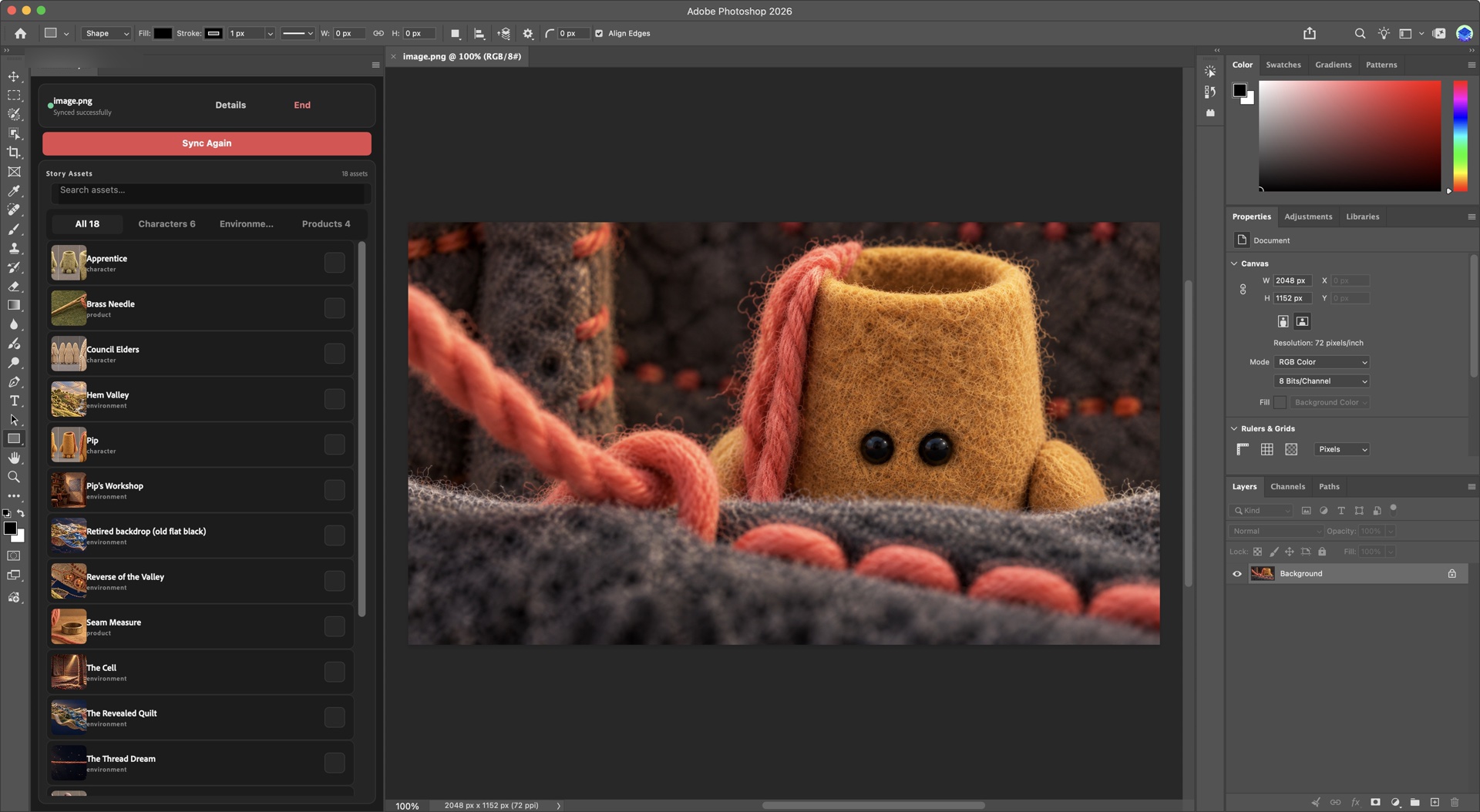
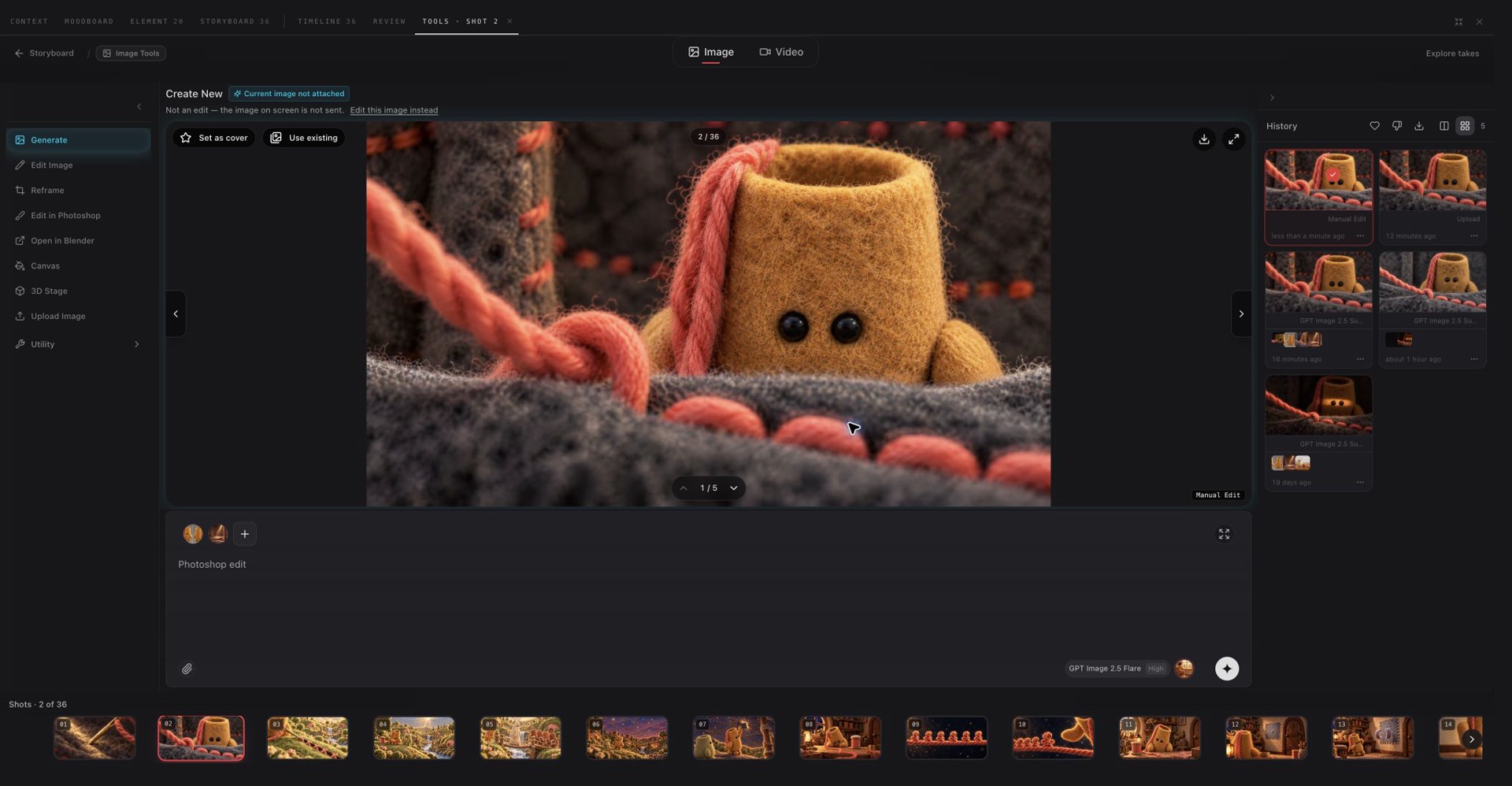
- A keyframe opened in Photoshop, retouched and saved, updates the shot in the web app
- No export, upload, rename loop between the generator and the edit
Where it started
Professional editors were not going to adopt a new editor because it could generate. Their timelines, their shortcuts, their color pipeline all live in Premiere. The retouchers live in Photoshop. Every time they wanted a generated shot, someone exported it, downloaded it, renamed it, and imported it. The generator was a separate world and the gap between the worlds ate the time the generation saved.
What I built
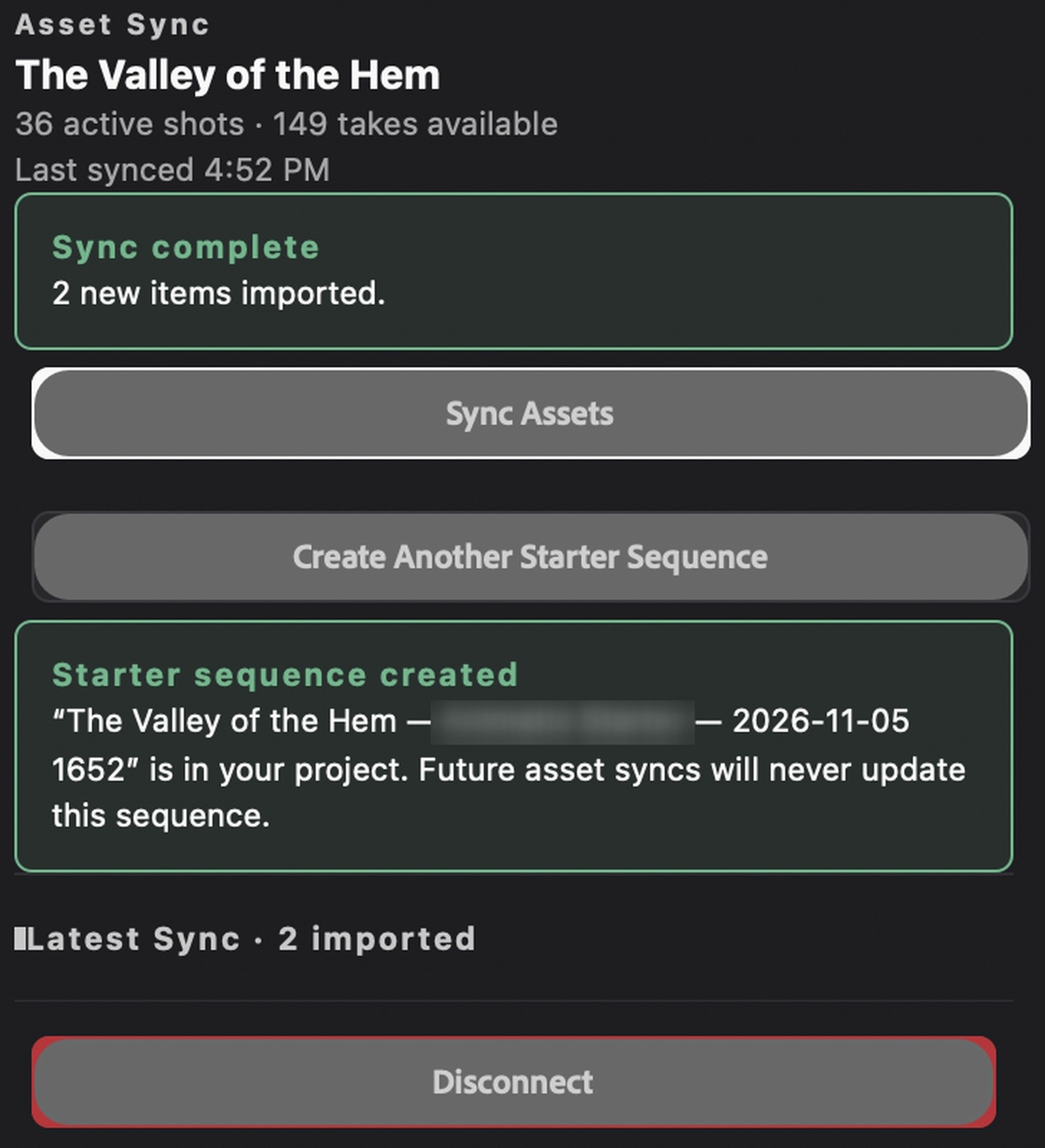
Two plugins. In Premiere, a panel that lists the project’s shots with their current takes and drops them onto the timeline as proper clips. In Photoshop, a panel that opens a shot’s keyframe as a document, and on save sends the result back as the shot’s new image, with the history kept.
Both use the platform’s own API, so what the editor sees in the panel is exactly what their team sees in the browser, and what they change in Adobe shows up for everyone else.
What was hard
Adobe’s plugin runtime is its own world with its own limits on files, network and UI. Keeping the panel small and fast mattered more than making it clever. And the round trip had to be trustworthy: an editor who sends a retouched frame back needs to know it replaced the right take and nothing else.